
I have found the latest batch of HP’s Universal Printer Drivers to be the very stable. The command line I use for installing the HP Universal Print Drivers on Citrix/Terminal servers is as follows:
Version 5.0 PCL 5
install.exe /q /npf /nd /dod /dos /dpm /ddu /dso /gdssnp /snptm=0 /dm /dmpa /dads /pqdmpa /pqdads
Version 5.0 PCL 6
install.exe /q /npf /nd /dod /dos /dpm /ddu /dso /gdssnp /snptm=0 /dm /dmpa /dads /pqdmpa /pqdads
Version 5.0 PS (Post Script)
install.exe /q /npf /nd /dod /dos /dpm /ddu /dso /gdssnp /snptm=0 /dm /dmpa /dads /pqdmpa /pqdads
Where…
- /q – Quite mode, no prompts
- /npf – Do not open the Printers folder on completion
- /nd – Does not set the printer as the default
- /dod – Disables the Online Diagnostic option on the Services tab in the HP UPD
- /dos – Disables the Online Support option on the Services tab in the HP UPD
- /dpm – Disables the Online Product Manual option on the Services tab in the HP UPD
- /ddu – Disables the Online Driver Updates option on the Services tab in the HP UPD
- /dso – Disables the Online Supplies Ordering option on the Services tab in the HP UPD
- /gdssnp – Disables the Status Notification Pop-ups for all printers
- /snptm=0 – Disables the Special Offers program pop–ups
- /dm – Installs the printer in dynamic mode
- /dmpa – Disables HP MPA policy checking for current user
- /dads – Disables ADS policy checking for current user
- /pqdmpa – Disables MPA policy checking for the current print queue (logical windows printer) no matter who uses it
- /pqdads – Disables ADS policy checking for the current print queue (logical windows printer) no matter who uses it
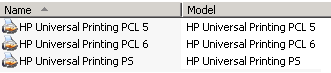
Three printers will then appear in “Printers and Faxes” as per the screenshot below.
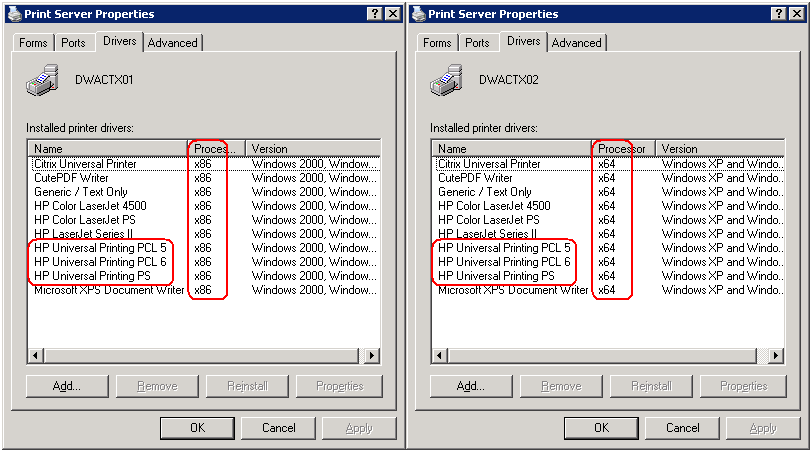
The following commands will remove the printers ONLY, leaving the drivers behind.
rundll32 printui.dll,PrintUIEntry /dl /n “HP Universal Printing PCL 5”
rundll32 printui.dll,PrintUIEntry /dl /n “HP Universal Printing PCL 6”
rundll32 printui.dll,PrintUIEntry /dl /n “HP Universal Printing PS”
I hope that helps!
