The Citrix Virtual Apps and Desktops & Desktops as a Service Health Check Script on Steroids

UPDATE: Version 1.5.9 released on 3rd March 2026. See below for all the details.

Since November 2014 many of us have been using the amazing Sacha Thomet’s XenApp and XenDesktop Health Check Script. I’ve made my own modifications to it over the years, but never contributed and shared anything publicly until June 2025. My motivation is to give the community some amazing visibility of their Citrix environments that they’ve never had before. I took the last release from Sacha, which was the February 2022 update, together with some modules I’d previously written, and overhauled the whole process from top to bottom, and wrote even more modules. Sacha has kindly committed my pull requests to his GitHub repository, which officially adds me as Contributor!

CVAD & DaaS Health Check Script on Steroids

Read more

Development Planning for the Citrix Self-Service Session Reset Tool

The Citrix Self-Service Session Reset Tool is software that I write and manage in my own time on my lab equipment. It is often challenging to find the time to work on it as I have many projects on the go. And life in general often gets in the way. I get a lot of queries asking me when the next release will be available and if the feature they are looking for will be included. Rather than continually updating the main article, and responding to queries, I wanted to document where the project is at and what further work is to be completed.

SSSRT Kanban

Version 1.9 was the last public release back on 1st June 2022.

Why not ditch my APIs and use the Citrix Virtual Apps and Desktops REST APIs that are now included with on-prem Delivery Controllers from version 2209 or later?

I work in the Mining Industry where we have OT (Operational Technology) networks, also known as PCN (Process Control Network). This is a typical setup within the mining, oil and gas industries, as well as utilities such as water and electricity. Some have their own AD domain with no trusts. But they all typically have a separate Citrix Site due to risk mitigation and change management requirements, and what we refer to in the mining industry as “site survivability”, meaning that a mine site can keep running when all comms links are lost. At the time of writing this, many of these sites are still 2203 LTSR or lower. Until these platforms have been upgraded to 2402 LTSR or later, I cannot leverage the built in Citrix APIs, and will continue to leverage the PowerShell SDK that my APIs are built on. Apart from that, I also wanted to be inclusive and did not want to place others at a disadvantage that are still running older versions.

If you are running 2209 and above on-prem, or just using Citrix DaaS (Cloud), the APIs are there for you to leverage. So all you need to do is create a cool user interface (UI) using a Blazor Server Application.

HOWEVER, I have since found limitations with the CVAD APIs, especially for on-prem. The Citrix Product Manager has suggested that I should be continuing to use the PowerShell cmdlets for the foreseeable future, as the CVAD APIs are not expected to be “production” ready for some time.

I’m working on the following before the next version can be publicly released, which I’m planning for June 2025 early 2026:

  • Securing the API secret information in the CtxSites.xml file
  • JavaScript Bug
  • Refactor Code
  • Enable/Disable Maintenance Mode API
  • Citrix PowerShell SDK Bug

Read more

Cold Starting and/or Hydrating Your Applications To Improve Their Startup Times

In the End User Computing (EUC) space we know that after the first time the application starts post reboot, the next time is faster. The first startup is referred to as a cold startup and all subsequent runs are warm startups. The first time the application starts, components of the application, such as the EXEs (executables) and DLLs (dynamic link libraries) need to be loaded from disk, which can delay the startup time. All subsequent runs will then read the data from the file system cache, which is memory managed by the Operating System.

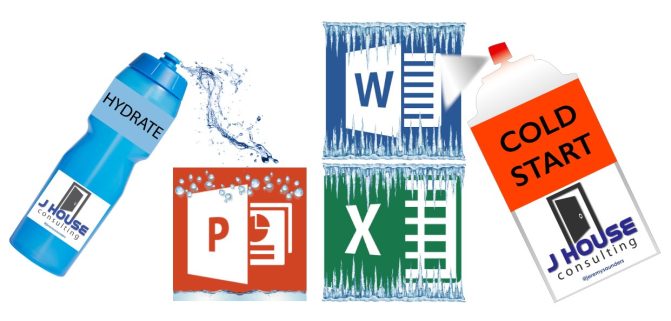
Hydrate and Cold Start your applications

The way we prepare a system for a user is to cold start (pre-launch) the applications when the system starts. We do this by starting and then terminating each process, such as winword.exe.

Read more

ESRI ArcGIS Pro and Desktop License Type and Program Selector User Interfaces

Updated 17th July 2024

Here are two awesome User Interfaces (UI’s) I built that will compliment any ESRI ArcGIS Pro (AGP) and/or ArcGIS Desktop (AGD) deployment. More specifically from my point of view, they have been developed with a Citrix Published Application, VMware Horizon, Remote Desktop, VDI and AVD deployment in mind, giving the users the ability to easily switch licensing types and launching the different programs and tools, making life much easier for them.

ArcGIS Pro Challenges

  • Changing the licensing is not as simple as it seems, especially when launching it as a published application. This is because you have to change it from within the program once launched; and then the program needs to restart for the new licensing type to work. What that means is that the ArcGISPro.exe process will terminate and restart. Whilst that happens a published application session may log itself off, as there are no processes running to keep it open. The code in this UI will manipulate the user registry values before starting ArcGIS Pro, and therefore setting the licensing type as required. I call this Self-Service by allowing the users to switch License Levels/Types on demand!
  • Having a single interface allowed me to integrate other tools and processes as requested by users over time that could all be associated with ArcGIS Pro. For example, users wanted an easy way to start File Explorer in the same session. Let’s make it easy for the users to do their work! That’s my job!
  • Update on 17th July 2024 for Python code changes I completed in back February:
    • Due to some corporate licensing challenges with ArcGIS Pro, the ArcGIS Pro License Selector has been updated for the following reasons:
    • It defaults to a Basic license, regardless of what you last used. If you need to use a Standard or Advanced license type, please select it before launching ArcGIS Pro. This behaviour can be changed back by using the AlwaysDefaultToBasic script variable as documented below.
    • I have added a “Reset Extensions” checkbox, that is selected by default. This will remove any Extensions you may have selected in your previous session, as the licensing for some of these Extension is also limited. You have the option here of deselecting it if you wish to continue to use previously selected Extensions in your new session. This behaviour can be changed back by using the AlwaysResetExtensions script variable as documented below.
    • Unfortunately, neither of these settings are managed by ESRI at an enterprise level, so I’ve enhanced this tool to assist in reducing the usage of the more advanced licensing options.
    • I have also improved the flow of the Python code.

ArcGIS Desktop Challenges

  • In a large enterprise deployment, setting the licensing model can be a pain. This is done via a user environment variable. So you could use Group Policy Preferences to target them based on AD Security Groups. But that adds an administrative overhead, and users must then log support tickets via the Service Desk, which creates unnecessary overhead and lost time whilst they wait for it to be actioned. That’s not agile, and doesn’t allow users to change their license type to suite their needs. The code in this UI will manipulate the user environment variable before starting the ArcGIS Desktop program of choice, such as ArcMap or ArcCatalog, and therefore setting the licensing type as required. Again, I call this Self-Service by allowing the users to switch License Levels/Types on demand!
  • There are way too many Start Menu items to publish, which is not a neat and tidy way to present it, so why not just present it via a single UI?
  • Having a single interface allowed me to integrate all the common ArcGIS Desktop programs and other tools and processes as requested by users over time that could all be associated with ArcGIS Desktop. For example, users wanted an easy way to start File Explorer in the same session, and they wanted a way to install specific Python modules that are not part of the default Python install. Again, let’s make it easy for the users to do their work! That’s my job.
  • ArcGIS Administrator notes:
$acl= get-acl -path "HKLM:\SOFTWARE\Wow6432Node\ESRI"
$inherit = [system.security.accesscontrol.InheritanceFlags]"ContainerInherit, ObjectInherit"
$propagation = [system.security.accesscontrol.PropagationFlags]"None"
$rule=new-object system.security.accesscontrol.registryaccessrule "USERS","FullControl",$inherit,$propagation,"Allow"
$acl.addaccessrule($rule)
$acl|set-acl
 
$acl= get-acl -path "HKLM:\SOFTWARE\Wow6432Node\Classes\CLSID\{E6BDAA76-4D35-11D0-98BE-00805F7CED21}"
$inherit = [system.security.accesscontrol.InheritanceFlags]"ContainerInherit, ObjectInherit"
$propagation = [system.security.accesscontrol.PropagationFlags]"None"
$rule=new-object system.security.accesscontrol.registryaccessrule "USERS","FullControl",$inherit,$propagation,"Allow"
$acl.addaccessrule($rule)
$acl|set-acl

Read more

Citrix Self-Service Session Reset Tool Process Flows

***Updated for the release of v1.6.

There are eight (8) main process flows for the how the Citrix Self-Service Session Reset Tool works:

  1. User Opens Web Page Process Flow
  2. Get Sessions Process Flow
  3. Logoff Sessions Process Flow
  4. Disconnect Sessions Process Flow
  5. Restart Machines and Forcefully Restart Machines Process Flow
  6. Hide Sessions and Unhide Sessions Process Flow
  7. Get Processes Process Flow
  8. Terminate Processes Process Flow

Each flow is documented and visually represented below.

Read more

Citrix Self-Service Session Reset Tool

***Please refer to my article on Development Planning for the Citrix Self-Service Session Reset Tool to learn about what updates and new features are being worked on.

***If using a release less than v1.9, please refer to the release history below to understand the new features, enhancements and fixes now included.

This tool has been labelled as a game changer for any Citrix customer. It’s proven time and time again that it has a huge impact on reducing the burden on the Service Desk and Operations Teams by empowering users to get themselves back up and running in the shortest possible time.

No matter how stable your Citrix platform is, one of the biggest challenges for any Citrix customer is being able to reduce Service Desk calls and user downtime by empowering users with the ability to clear their own sessions, or recover them by terminating rogue processes. Several free scripts and a paid for tool are available, but none of them really achieve the best outcome. Some of them still require users to run a “Citrix session”, which they often can not do because the broker may be trying to reconnect them back to a stuck, hung, broken session or unhealthy host. When this happens they get into an endless loop of failure and get very frustrated. This can impact brand reputation and user satisfaction, leaving users with a poor felt experience. Some have even implemented a separate Citrix Environment to run these scripts from. In my opinion this is as waste of resources and an overhead for management. It still doesn’t always work due to Citrix Workspace (Receiver) reconnection issues and is often over complicating it for users.

My goals were to:

  • Create a tool that is easy to use, even for users that struggle with technology.
  • Create a tool that enables users to not only get themselves back up and running in the shortest possible time, but also reduces the reliance on Service Desk and even second level support teams.
  • Create a tool that does not rely on any ICA/HDX connectivity to a Citrix platform. This was extremely important!
  • Create a tool that would allow support for multiple Citrix Virtual Apps and Desktops (CVAD aka XenApp and XenDesktop) Sites.
  • Create a tool that works across trusted Domains.
  • Create a tool that works across the IT and OT landscape.
  • Create a tool that can easily be extended/expanded for other use cases.
  • Create a tool that’s modular so that other brokers such as VMware Horizon and Leostream can easily be added.
  • Create API’s with a Web front-end.
  • Create a tool that can be used to develop a microapp.
  • Create a tool that can easily be called by any scripting language such as PowerShell and Python.
  • Create a tool that can be enhanced, debugged and supported by others.
  • Create a tool for the community, because I love doing that!

Read more