The Maptek User Support Tool to Help Manage Vulcan Support Challenges

I would like to introduce you to a PowerShell tool I built in 2023 and have been continually developing and adding features until this release. If you or your customer runs Maptek Vulcan, especially in a virtualised desktop platform from Vendors such as Citrix, Omnissa, Parallels, Dizzion, Microsoft and Amazon, you may want to consider using this tool to assist users with the support challenges for Maptek products, specifically Vulcan and BlastLogic. It primarily empowers the users with the ability to set, change and verify required Vulcan variables, ODBC connections, and mapped drives. It also facilitates setting the TEMP & TMP variables to a RAM Disk (if present), for the current process only, before starting Vulcan.

The Maptek products aside, this tool can be used as a template and modified to help enhance the delivery and experience for any application.

The following screen shot shows the user interface in two forms. Can you spot the differences? I will explain below what this means and all the functions the tool provides.

Maptek User Support Tools

Background

Maptek Vulcan is specialised 3D mining software used for geological modelling, mine design, and mine planning. It has been widely used in the mining industry since the mid 1980s by Geologists, Surveyors, Mine and Geotechnical Engineers to analyse, visualise, and optimise mineral resources. It is also used for resource evaluation, feasibility studies, and operational planning. It integrates with many other mining applications.

From an IT Support point of view, it’s a beast of an application that has several limitations due to legacy code and settings that creates challenges for users when deployed into a Virtual Desktop platform. It’s written to run on high end laptops and workstations where users are not locked down too heavily. So when you add Cyber policies and locked down devices and desktops, it can be challenging for users to configure the software as needed without assistance.
Read more

The Micromine Alastri Hub Launcher Tool that leverages a RAM Disk for Temporary Data

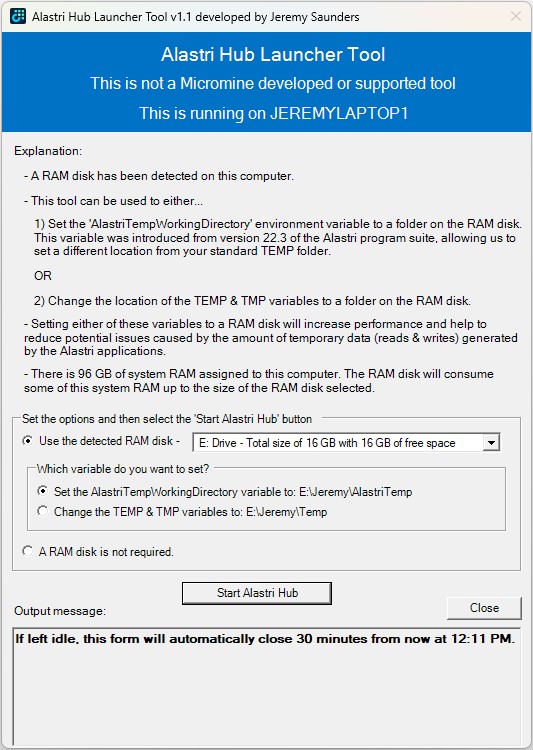
I would like to introduce you to a PowerShell tool I originally created in early 2024, which was in the research and planning stage for about 12 months previous to that whilst I was finding a suitable RAM Disk solution. If you or your customer runs Micromine Alastri Software, especially in a virtualised desktop platform from Vendors such as Citrix, Omnissa, Parallels, Dizzion, Microsoft and Amazon, you may want to consider using this tool to help increase performance and reduce potential issues caused by the amount of temporary data (reads & writes) generated and consumed by the Alastri applications.

Alastri Hub Launcher

Read more

Silently Installing and Automating the Arsenal Image Mounter (AIM) RAM Disk Feature

Updated 17th November 2025

I previously wrote about The best free for commercial use RAM Disk that works perfectly with Desktop Virtualisation. This is a follow on from that article that will focus on:

  • The installation of Arsenal Image Mounter (AIM)
  • The automation for the creation of a RAM Disk
  • The challenges I experienced with the creation of the RAM Disk
  • How to deploy it
  • The scripts themselves

Here are further articles to demonstrate the use cases:

Read more

The best free for commercial use RAM Disk that works perfectly with Desktop Virtualisation

For context, a RAM Disk provides fast I/O (read and write) performance, faster than SSDs (Solid State Drives), with wider bandwidth and much lower latencies.

There are plenty of free and paid options for RAM Disk software available. This article is not about finding the fastest RAM Disk software available, so I haven’t gone out and benchmarked a range of products. My goal was to find the best “free for commercial use” RAM Disk software that works well and meets a list of requirements as laid out below. So I won’t be adding screen shots of output from tools like CrystalDiskMark, etc.

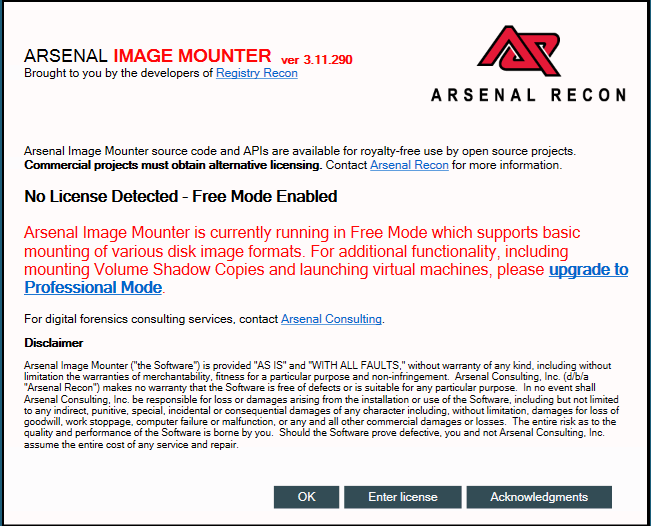
What is the best free for commercial use RAM Disk I hear you ask? The answer is Arsenal Image Mounter (AIM), from Arsenal Recon, which was developed by the legendary Olof Lagerkvist of ImDisk Toolkit fame.

Arsenal Image Mounter (AIM)

Okay, so I gave away the secret early in this article. But now I’m going to take you on a journey of how I got there, the use cases, the challenges, and the PowerShell scripts I used to deploy and create it.

Read more