
Citrix has recently introduced me to an advanced component of AppDNA that allows the import of apps when a real installer is unavailable. This component is called the AppDNA MSI Generator.
The MSI Generator should only be used in the follow two scenarios:
- Applications that are known to be just flat files/folders with no real installers.
- Applications sitting on a file share with just a shortcut or simply copied on the local drive with no other action than that.
Using the MSI generator:
1. Install the AppDNA client on the machine where the application is located. The client is packaged in the same installer as the server (i.e. Citrix-AppDNA.msi, or Citrix-AppDNA-Quick-DB-Installation.msi).
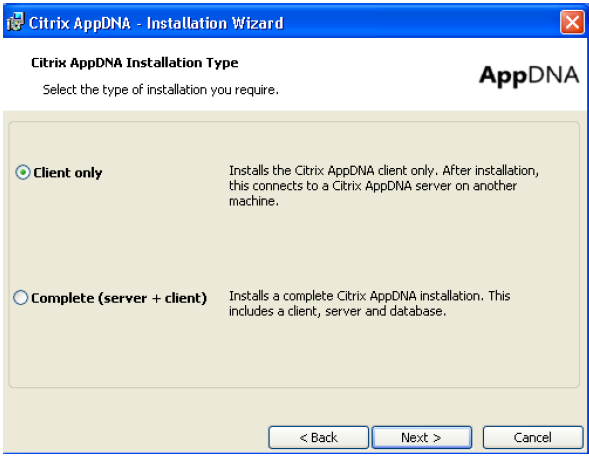
Select “Client Only”
2. Once the client has installed, navigate to “C:\Program Files\Citrix\AppDNA\Client” (for 32-bit OSs) or “C:\Program Files (x86)\Citrix\AppDNA\Client” (for 64-bit OSs), or the directory where the client was installed, if the default was not selected.
3. Run the “MSIGenertor.exe” (If you are running a version of AppDNA earlier than 6.2, please contact your Citrix Account Rep or SE for a proper license).
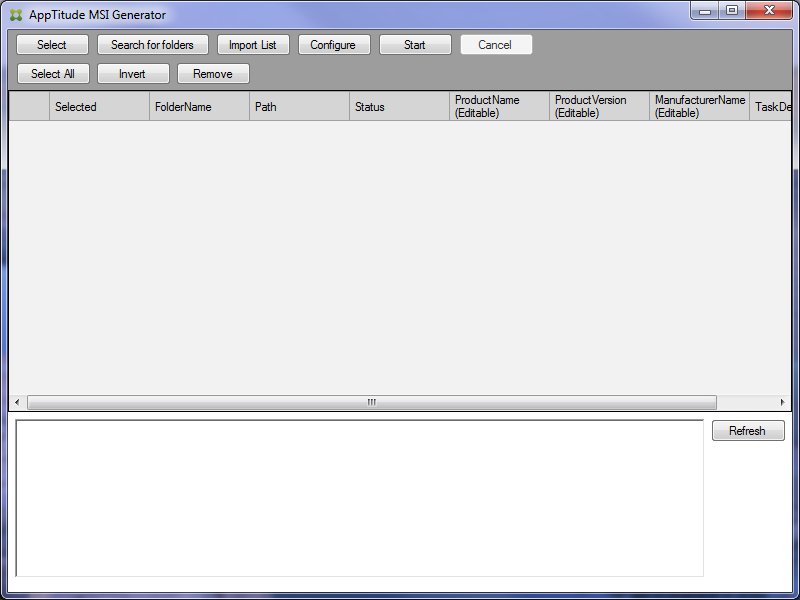
4. Choose “Select” from the menu and browse to the folder where the application resides. Then select OK.
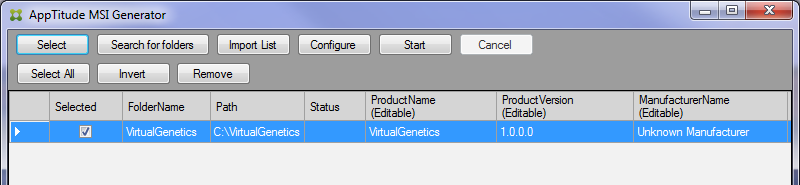
5. Select “Configure” and set the path for the location of the MSI. Then select OK.
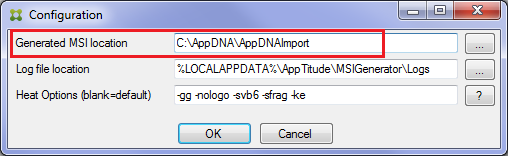
Note that the MSI Generator will create a sub-folder derived from the FolderName, so you don’t put the actual folder name of the app in the path.
6. Select “Start”. The Status will change to “Running” and then “Complete” when it’s finished.
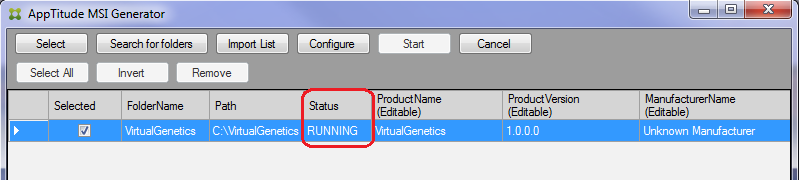
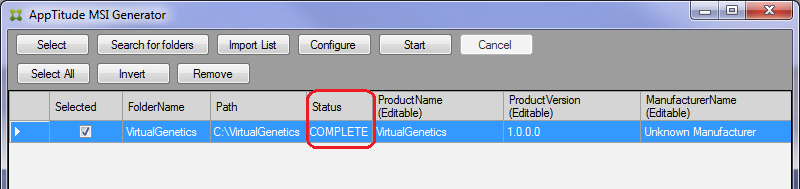
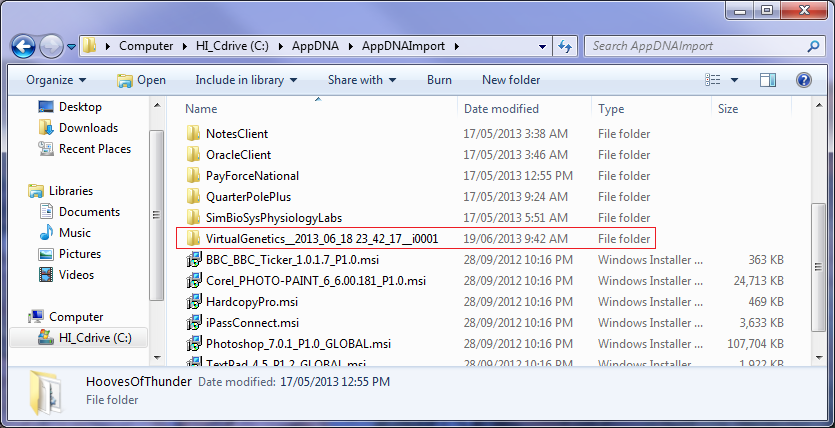
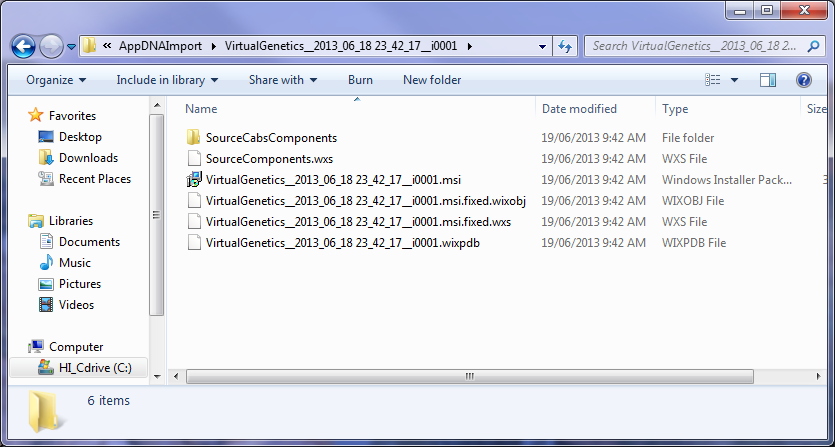
Note that you can also monitor the actual output within the sub-folder.
7. This will create a *.msi file that can be imported directly into AppDNA for analysis and reporting.
I hope this helps if you ever run into a situation that fits into the two described scenarios.
Of course you could always script an xcopy via a batch file that you would then use together with the Install Capture process, but I’m sure you’ll agree that the MSI Generator tool is very handy indeed.
