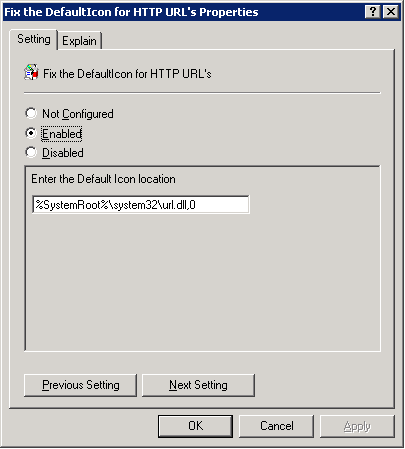
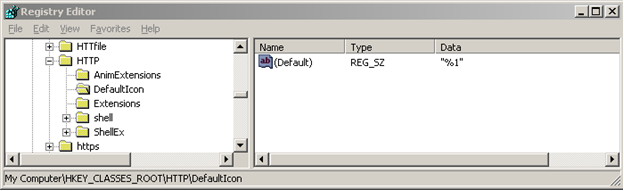
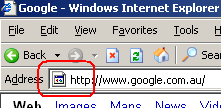
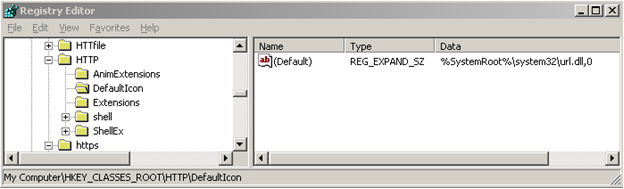
Sometimes you may find that the HTTP URL shortcut icon is “broken”; referencing %SystemRoot%\system32\SHELL32.dll,0 instead of %SystemRoot%\system32\url.dll,0. This is due to a bug that does not consistently set the default type and data for the HKEY_CLASSES_ROOT\HTTP\DefaultIcon value. When the icons are not displaying correctly, it will have a default value of type REG_SZ with Data “%1” when it should be of type REG_EXPAND_SZ with Data “%SystemRoot%\system32\url.dll,0”. Strangely, the DefaultIcon for the HTTPS (HKEY_CLASSES_ROOT\HTTPS\DefaultIcon) URL shortcut does not suffer from the same problem. I hope you find this information of value.

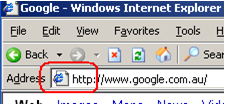

How to fix this?
Use a registry import…
Windows Registry Editor Version 5.00

[HKEY_CLASSES_ROOT\http\DefaultIcon]

@=hex(2):25,00,53,00,79,00,73,00,74,00,65,00,6d,00,52,00,6f,00,6f,00,74,00,25,\

  00,5c,00,73,00,79,00,73,00,74,00,65,00,6d,00,33,00,32,00,5c,00,75,00,72,00,\

  6c,00,2e,00,64,00,6c,00,6c,00,2c,00,30,00,00,00
…or an ADM template…
CLASS MACHINE

  CATEGORY "MACHINE Custom Settings"

    Policy "Fix the DefaultIcon for HTTP URL's"

    Explain "This registry setting will fix the DefaultIcon for HTTP URL's so that they display correctly. More Information: Sometimes you find that the ICON for HTTP URL shortcuts have a broken icon that references %SystemRoot%\system32\SHELL32.dll,0 instead of %SystemRoot%\system32\url.dll,0. This is due to a bug that does not consistently set the default type and data for the HKEY_CLASSES_ROOT\HTTP\DefaultIcon value. When the icons are not displaying correctly, it will have a default value of type REG_SZ with Data ''%1'' when it should be of type REG_EXPAND_SZ with Data ''%SystemRoot%\system32\url.dll,0''"

    KEYNAME "SOFTWARE\Classes\HTTP\DefaultIcon"

      PART "Enter the Default Icon location" EDITTEXT EXPANDABLETEXT

        DEFAULT "%SystemRoot%\system32\url.dll,0"

        VALUENAME ""

      END PART

    END POLICY

  END CATEGORY
The following screenshot shows the policy setting once the ADM has been added to the Group Policy Object.