
Citrix just shipped another small AppDNA release today. Version 6.3 is now available for download, and the documentation is available on eDocs.
The key new product features are:
Install Capture improvements
- Support for Hyper-V – You can now use a Hyper-V virtual machine for Install Capture. Install Capture supports Hyper-V Server 2012, Hyper-V Server 2008 R2, and Windows 8 Hyper-V Client.
- Auto-clicker – Install Capture has a new optional auto-clicker feature that improves the automation of the capture process. This means that you can leave a batch of captures or conversions running unattended. Previously, you always had to manually click through the installation steps – unless a silent installation switch was available.
Forward Path improvements
- You can now access the Effort Calculator variables and algorithm action information in your Forward Path scenarios. This means that you can calculate estimated remediation costs for each application based on the cost of remediating the issues detected by the algorithms during analysis and the Effort Calculator variables that store information such as how much a remediator or a tester costs per day. See Using the Effort Calculator Variables for more information.
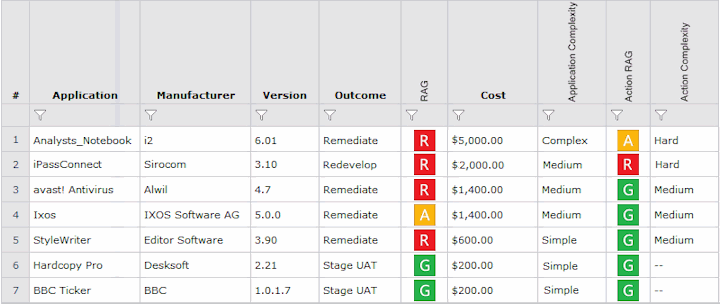
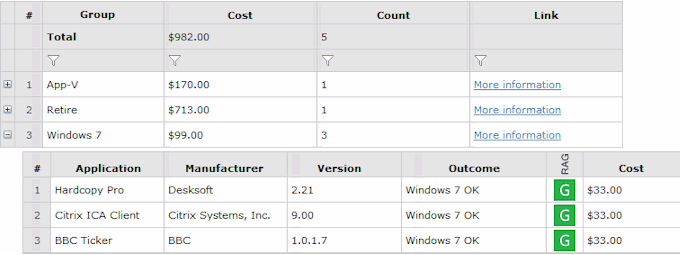
- You can now create advanced Forward Path reports that group applications by categories defined in the scenario or by the AppDNA application group to which the applications belong. You can also aggregate values at the group level and create report totals. This means, for example, that if application groups represent business units, you can create a Forward Path report that groups the applications by business unit and shows subtotals (of the estimated remediation costs, for example) for each one. See Grouped Forward Path Reports for more information.
Product Licensing
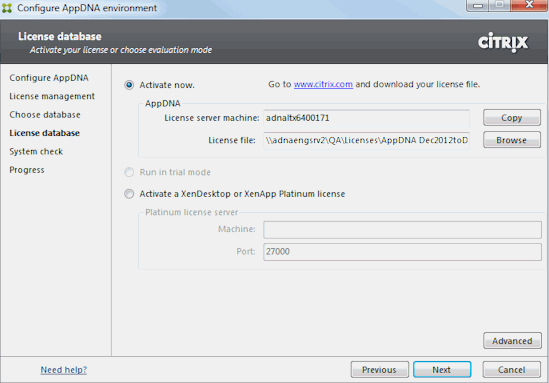
Activation with a XenDesktop 7 or XenApp 6.5 FP2 Platinum license. Be sure you follow my earlier advice when adding the licenses.
Upgrades to 6.3 for existing customers is free for those with active software maintenance contracts as of June 21, 2013. You can upgrade directly to AppDNA 6.3 from AppTitude 5.0, AppTitude 5.1, AppDNA 6.0, AppDNA 6.1, AppDNA 6.1 SP1, and AppDNA 6.2. Do not uninstall the previous version before installing AppDNA 6.3. The installer will automatically delete any unnecessary old files whilst preserving your settings and configuration options. Once the AppDNA 6.3 installation has completed, the configuration wizard will run to prompt you to upgrade the Database.
