Script to Fix the Delivery Services Console Shortcut

This script will update any shortcuts to the Delievery Services Console (DSC) and Access Management Console (AMC).

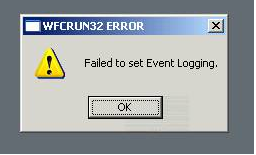
Launching the DSC or AMC on 64-bit system is a bit of a challenge. The CmiLaunch.exe does not work correctly on a 64-bit system. It does not start and we receive the following three errors in the System Event Logs:

Event Source: SideBySide
Event ID: 59
Description: Generate Activation Context failed for C:\WINDOWS\SysWOW64\mmc.exe. Reference error message: The referenced assembly is not installed on your system.

Event Source: SideBySide
Event ID: 59
Description: Resolve Partial Assembly failed for Microsoft.Windows.Common-Controls. Reference error message: The referenced assembly is not installed on your system.

Event Source: SideBySide
Event ID: 32
Description: Dependent Assembly Microsoft.Windows.Common-Controls could not be found and Last Error was The referenced assembly is not installed on your system.
Read more

Windows 2003 SP2 64-bit Domain Joining Bug

On a recent project we were automating the build of 32-bit and 64-bit Windows 2003 SP2 servers. This was within a very large “Global” Active Directory environment, with many Trusted and External Domains. The 32-bit builds were working fine, but the 64-bit builds were not adhering to the Active Directory Sites and Services locations to … Read more

Script to Join a Computer to the Domain

This script will join a computer to a domain. You can either specify the parameters as command line arguments, or look them up in an ini file.

If an OU is not specified, the value is set to NULL, which means that the computer object will be placed in the OU/Container that is set as the Domain default within Active Directory, which is typically the Computers container.

It also checks to see if the computer object already exists in AD. If it does, it will join to the object in its existing location.

IMPORTANT: Refer to the %SystemRoot%\Debug\NetSetup.LOG file to help fault find any issues with the domain joining process.

Read more

Locking a Virtual Desktop Session

How to lock a remote VMware View session? I’ve had mixed results getting a consistent method for locking VDI workstation sessions using VMware View across different client types, so have endeavored to document all possible methods to help come up with a best practice.

Updated 4th September 2009: As per Resolved Issues in VMware View Manager 3.1.2

“In full-screen mode Windows special key combinations are not redirected to virtual desktops
In full-screen mode, View Client does not redirect Windows special key combinations (Windows+) to the remote desktop. This issue is inconsistent with the direct RDP. The issue is resolved in this release.”

Read more

Three Little Words Every Leader Needs to Learn

My boss recently sent around an excellent article by Rosabeth Moss Kanter from Harvard Business School titled “Three Little Words Every Leader Needs to Learn“. Those three words are “I was wrong”.

People respect you more when you admit to mistakes, that you don’t know the answer to their question(s), or that you’re man/woman enough to say sorry. Not to take this out of context, but making mistakes in life is what makes us grow and develop as people. Others watch and learn from that too. NO ONE is perfect, beyond the law, and beyond criticism.

Read more

Understanding Microsoft Licensing for a Virtual Desktop Infrastructure (VDI) Environment

Here is an excellent whitepaper titled “Understanding Microsoft Licensing for a Virtual Desktop Infrastructure (VDI) Environment” that simply explains the licensing requirements without needing a PHD to sift through the information and Briefs posted on Microsoft’s Overview of Licensing for Virtualization web page. More specifically I’m referring to the Brief on Licensing Windows Vista for … Read more

HTTP Default Icon issue

Sometimes you may find that the HTTP URL shortcut icon is “broken”; referencing %SystemRoot%\system32\SHELL32.dll,0 instead of %SystemRoot%\system32\url.dll,0. This is due to a bug that does not consistently set the default type and data for the HKEY_CLASSES_ROOT\HTTP\DefaultIcon value. When the icons are not displaying correctly, it will have a default value of type REG_SZ with Data “%1” when it should be of type REG_EXPAND_SZ with Data “%SystemRoot%\system32\url.dll,0”. Strangely, the DefaultIcon for the HTTPS (HKEY_CLASSES_ROOT\HTTPS\DefaultIcon) URL shortcut does not suffer from the same problem. I hope you find this information of value.

Read more