Introducing the new AppDNA Platinum Edition and Goodbye and RIP to the Standalone Editions

The Excitement:

Last June Citrix included a cut down licensed version of AppDNA as part of the XenDesktop 7 Platinum license. As excited as everyone was at the time, this license was so restrictive that you could only analyse applications using the SBC module. Back then I wrote an article titled “AppDNA is now included with XenDesktop 7 Platinum, or is it just a tease?“, which pointed out the limitations of this release. Clearly Citrix took my feedback seriously, as now they have included a full unrestricted license with XenApp or XenDesktop 7.5 Platinum. It is totally unlimited across all modules! How cool is that?

In the announcement they say that “The inclusion of all the AppDNA capabilities in Platinum editions helps IT address a variety of migration issues, including how to virtualize applications ahead of Microsoft Windows XP and Windows Server 2003 end-of-life milestones.” It’s a funny marketing statement given that Windows XP will reach it’s end-of-life milestone 13 days after these new capabilities are released into the Platinum editions!

The Disappointment:

To make matters worse Citrix, in their infinite wisdom, have also decided to drop the standalone versions altogether. So as of 28th April you will no longer be able to purchase the Standard or Enterprise editions. This is so uncool! In fact the EOM (End Of Maintenance) for the version 7.1 and later standalone editions is 31st October 2015, and the EOL (End Of Life) is 31st October 2016. So there is no value in purchasing the product if its last sale date is a little more than a month away. 
Read more

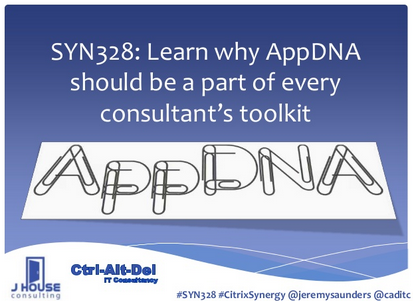
Citrix Synergy 2013 Slide Deck for SYN328: Learn why AppDNA should be a part of every consultant’s toolkit

SYN328: Learn why AppDNA should be a part of every consultants toolkit

Here’s my presentation that I’ve uploaded to SlideShare from my Citrix Synergy 2013 session on why AppDNA should be a part of every consultant’s toolkit.

Unfortunately SlideShare currently doesn’t support animations, so some of the slides are not well presented when viewed in this manner. I’ll work to separate out the animations and make this as readable as possible.

I am continually improving the content within this slide deck. Please feel free to contact me for the latest version.

Read more

AppDNA Team using Podio to create a community and share scripts

The Citrix AppDNA Team has created a workspace in Podio to build a community, share scripts and ideas, and to help extend the capabilities of AppDNA.

You’ll first need a Podio account, which will need to be added to the Citrix AppDNA Extensions Workspace. At the time of this posting the only way this can be done is by the administrators of that workspace. If you contact your Citrix Sales Rep or SE, they can forward your request internally. You may also be able to request this from me and I can do the same.

Once you have access you can either go to the Citrix AppDNA Extensions workspace within Podio, or use the following URL: https://citrix.podio.com/appdna-extensions-customers

Read more

AppDNA Tech Tip – Importing apps when there is no installer

Citrix has recently introduced me to an advanced component of AppDNA that allows the import of apps when a real installer is unavailable. This component is called the AppDNA MSI Generator.

The MSI Generator should only be used in the follow two scenarios:

  • Applications that are known to be just flat files/folders with no real installers.
  • Applications sitting on a file share with just a shortcut or simply copied on the local drive with no other action than that.

Read more

AppDNA is now included with XenDesktop 7 Platinum, or is it just a tease?

I was excited by the recent announcement during the Citrix Synergy 2013 keynote that an AppDNA license will be included with the upcoming release of XenDesktop 7 Platinum edition. Yes! Now one of my favourite tools, so needed in this space, gets to shine alongside the flagship products. This sparked so much excitement and conversation during the week of Synergy and thereafter.

There are, however, a couple of gotchas, that if not understood up front, will lead to disappointment. So let me explain.

Read more

Scripting updates to the GPT.ini for the Local Group Policy

Updated on 27th October 2010.

I came across a challenge whilst working on a big XenApp deployment in a Novell environment. I needed to make changes to the Local Group Policy Object on all Terminal / Citrix servers. This was specifically required for implementation of a logoff script, as logoff scripts are not supported via Zen Polices in a Terminal Services environment.

As always, I wanted to automate it and found that there was a real lack of information about how this can be easily achieved. Anyway, I thought that modifying the Local Policy on all XenApp servers would be a pain, but it ended up being very simple indeed.

Admittedly, I could have just copied a new gpt.ini and scripts.ini into place, but then it would not have respected any previous changes and settings that had already been made to the gpt.ini. So this script checks existing configuration settings before making any changes to the gpt.ini file.

Enjoy!!

Read more