The Citrix PVS Target Device Driver is a SCSI Adapter Bully

Working on a Citrix upgrade project a few years ago I was continually getting a blue screen when a Citrix PVS image booted. The symptom was obvious during the boot process. It was as if there were two NICs or the image was trying to load twice. PVS write-cache was also incorrectly being redirected to the server.
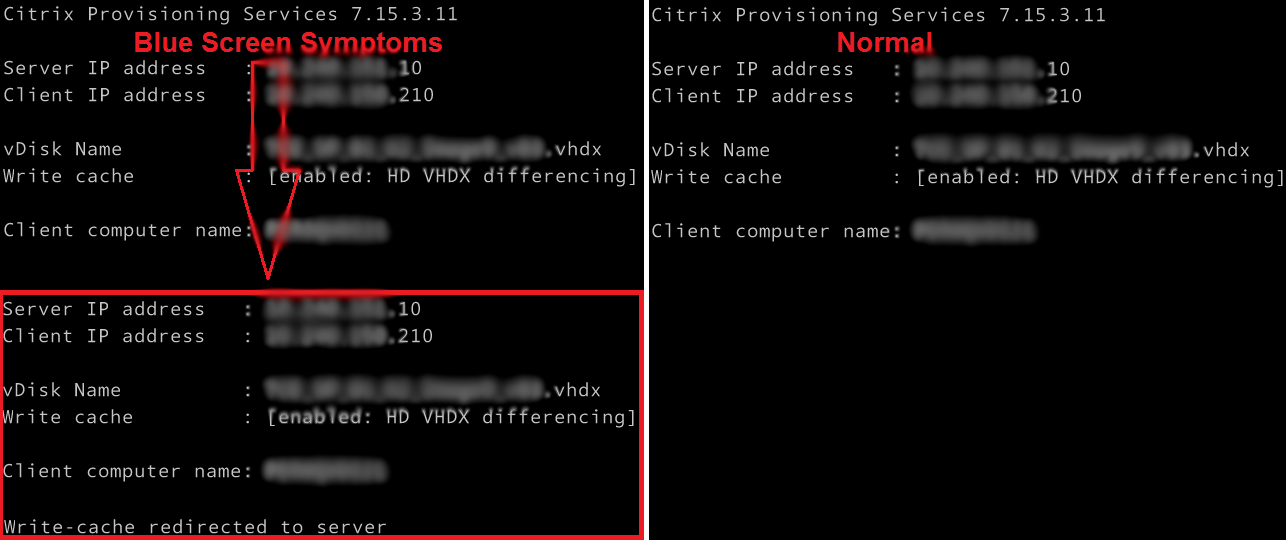
PVS Target Agent Blue Screen Symptoms

I checked and rechecked all the obvious suspects, such as ghosted NICs and other devices, old DHCP information, antivirus, etc. Everything looked good. It really did not make a lot of sense. I then stripped all the apps and tools out of the build and it worked! So what was I doing wrong?

Read more

Best Practice for the Windows Client Side Caching (CSC) kernel driver in VDI workloads

It’s been a best practice for a long time to disable Offline Files in both RDSH and VDI workloads. However, this has only ever been based around the Offline Files (CscService) service and some registry tweaks.

What people don’t realize is that you must properly disable Offline Files in all VDI workloads by also disabling the Windows Client Side Caching (CSC) kernel driver as outlined by Ned Pyle here.

Even with the Offline Files (CscService) service disabled, the Windows Client Side Caching (CSC) kernel driver is still loaded at Windows startup, creating unnecessary noise and potentially impeding performance when users access a network share.

The following example is a screen shot of Process Monitor monitoring a zpaq64.exe process extracting a file to a network drive. Note how it’s continually attempting to access the CSC (Client-Side Caching) area before the network share, even though Offline Files is disabled. This creates a large number of NAME NOT FOUND errors, and adds a potential delay to the execution time.

Read more